
See what your computer reveals through Bluetooth, WiFi, and location.
Survey is a native macOS tool that shows you what your computer reveals about itself through Bluetooth, WiFi, and location services — in real time. It makes the invisible visible, not to create fear, but to create understanding.
Requires macOS 14 (Sonoma) or later
Why Survey?
Your Mac is constantly broadcasting and receiving signals — Bluetooth beacons, WiFi probes, location updates. Nearby devices, networks, and observers can collect this information without you knowing. Survey gives you visibility into all of it so you can make informed decisions about your privacy.
No network requests, no analytics, no telemetry. All data stays on your machine.
Features
Bluetooth
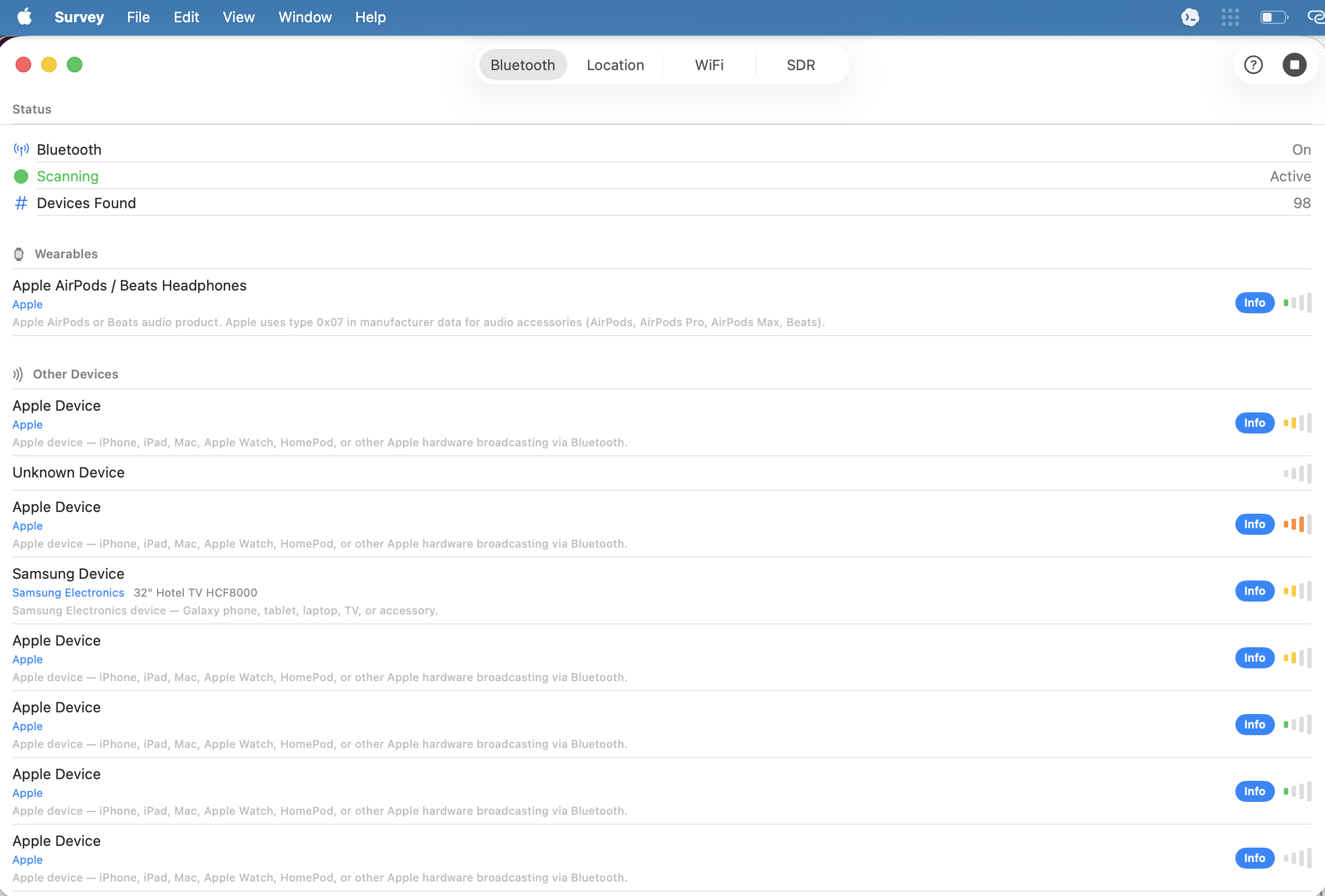
Continuous BLE scanning that identifies nearby devices — AirTags, smart glasses, trackers, wearables — with threat level classification and real-time alerts for high-threat devices.
WiFi
Analyze your current network's security grade (A-F), fingerprint access point types, scan nearby networks, and audit saved networks against known suspicious SSIDs.
Location
See what your location permissions reveal about you. Tracks a privacy exposure score, maps your location history, and links directly to macOS privacy settings.
Bluetooth
Survey scans for nearby Bluetooth devices and identifies them using a database of ~130 BLE device signatures. Devices are categorized (glasses, trackers, wearables) and assigned threat levels. High-threat devices like AirTags and smart glasses trigger desktop notifications so you know when something is watching.
WiFi
Your WiFi connection reveals more than you think. Survey grades your network’s security (WPA3 gets an A, open networks get an F), fingerprints the access point type (~40 classifications: home router, corporate, hotspot, transit), and audits your saved networks against ~90 known suspicious SSIDs. Open saved networks are flagged — macOS will auto-join them, and that’s a risk.
Location
Survey computes a privacy exposure score (0-100) from three components: your location permission settings, Bluetooth state, and whether you’re connected to an open WiFi network. Location snapshots are stored locally and visualized on a map so you can see your own trail. A settings guide links directly to the relevant macOS System Settings panels.
Technical Details
- Native macOS app built with Swift and SwiftUI
- Zero third-party dependencies — uses only Apple system frameworks
- SwiftData for on-device persistence
- CoreBluetooth, CoreWLAN, CoreLocation, MapKit — Apple system frameworks
- Privacy-respecting — zero network requests, zero analytics, all data stays on your machine